Need a free or affordable website for your cookie business?
Free Website for Your Cookie or Bakery Business
Yes. BakePorch lets home bakers create a cookie or bakery storefront with products, prices and a link they can share. You can start free, set pickup options and accept card payments through your own Square account.
Start freeFree to start · No monthly fee
How it works
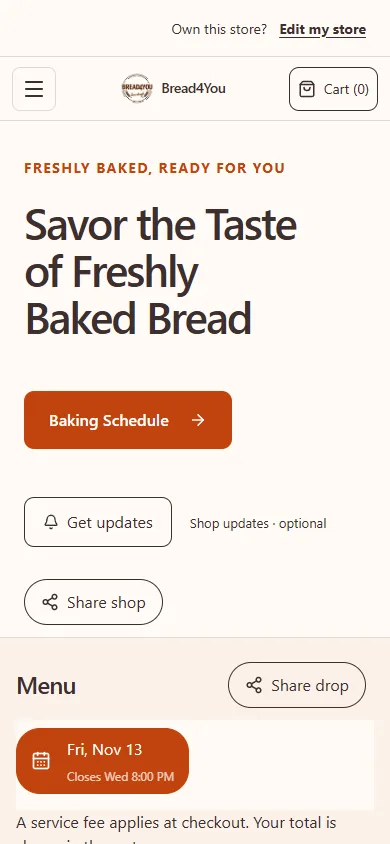
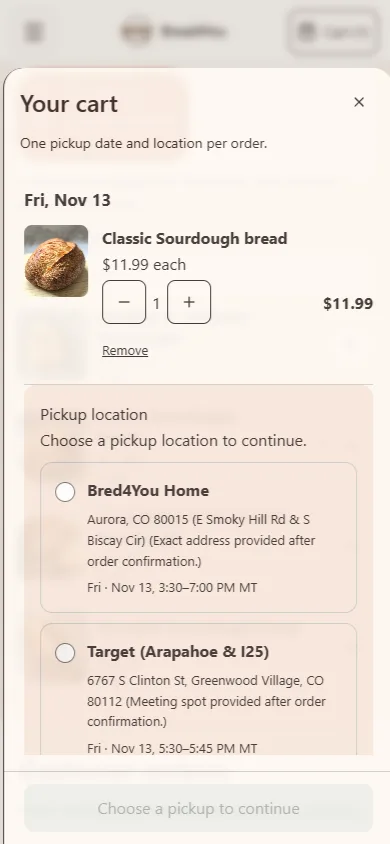
Here is an example using Bread4You’s real storefront, captured in November 2026. Its menu and dates can change.
1. Set up your shop
Create your shop and add the products you want to sell.
2. Plan your sale
Choose the available products, pickup details and order deadline.
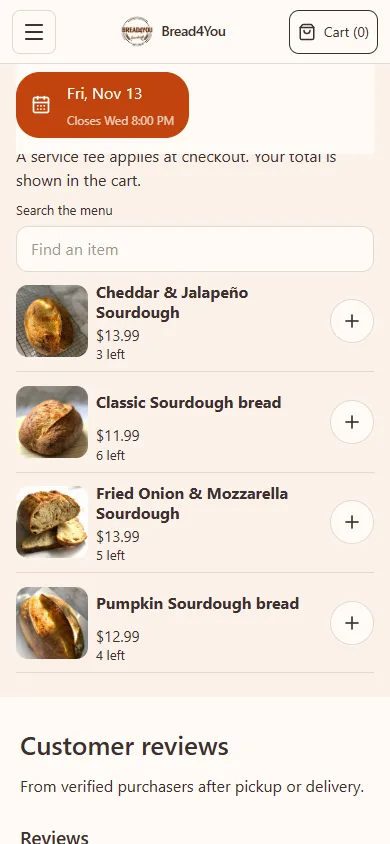
3. Share your menu
Share your public link so customers can choose their items and review pickup.
Make the menu answer the first questions
Start with the products you can reliably make. A smaller, current menu is more useful than a long list containing items you cannot offer this week. Give each product a name, pack size, price and photo that shows what the buyer will receive.
For example, “Chocolate chip cookie box — six cookies” is clearer than “Cookie box.” If you sell a six-pack and a twelve-pack, make the choices explicit. State whether a mixed box has a fixed selection or allows choices, and explain any customization before somebody pays.
Use your actual ingredient and allergen information. The website is a place to present your information clearly; it does not replace checking the requirements that apply to your food business.
Choose how each cookie can be ordered
A weekly cookie drop and a personalized party order need different paths. For a Friday sale, publish the menu for that batch, set the available quantity, choose pickup windows and close orders early enough to finish the work.
For cookies you make throughout the week, a made-to-order menu can offer dates that fit your notice and capacity settings. For a design that needs discussion, use a custom request followed by a reviewed quote. Keep a request separate from an accepted, paid order.
BakePorch supports scheduled batches, made-to-order purchases and custom requests. Choose methods you can fulfill, and check that ordering is open before sharing.
Give pickup as much attention as the photos
Before the link goes out, decide the pickup day, window and location information you want customers to see. Review your public pickup disclosure and the instructions in the order confirmation together, so one does not contradict the other.
Write a short missed-pickup policy and a practical contact method. Taking payment before preparation reduces the risk of preparing an unpaid order, but it cannot guarantee that everyone arrives. Your pickup plan still matters.
Separate no monthly subscription from no charges
BakePorch has no setup fee or monthly subscription. Free to start; a small service fee is added at customer checkout. This applies to card orders. Square processing is separate and paid by the seller. Customers cover the BakePorch service fee by default, and you can choose to absorb it in your payment settings.
Connect your own Square account and complete the card-payment setup before offering card checkout. Review the current pricing details and the total customers will see. A storefront link is not the same as your own separately registered domain name.
Do a customer check before announcing the shop
Open the public store link on a phone, rather than copying the address from your admin. Check that the current menu appears, the pack sizes are understandable, an intended pickup is available and checkout explains the full total. If you are only previewing, stop before placing a real order.
You do not need to enter recipes to begin selling through BakePorch. Add recipes and production tools when you need ingredient requirements or planning. Start with a storefront customers can use, then add the operational detail that saves you work.
What does it cost?
Free to start, with no monthly fee. A small service fee is added at customer checkout. Payments go to your own Square account.
The customer pays the BakePorch fee by default, or you can choose to cover it. Your business pays Square processing separately. See pricing and examples.
Who is it for?
Home bakers, cottage food sellers, meal-prep businesses and other home cooks can use drops, made-to-order menus and custom requests to organize their sales. Choose the approach that fits your business and check the food rules that apply to you.
Questions sellers ask
What does free mean here?
There is no setup fee or monthly subscription. A small service fee applies to card orders, and Square processing is separate. Customers cover the BakePorch service fee by default; you can choose to absorb it.
Can I offer packs and custom cookies in one shop?
Yes. Use named pack options for standard products. For work that needs discussion, enable custom requests, review the requirements and issue a quote. A request alone is not a confirmed order.
How much is the fee?
The standard BakePorch service fee is 5% of the order subtotal, including delivery charges where applicable. By default the customer pays it, or you can choose to cover it. Square processing fees are separate and are paid by your business.
Is there a free app I can make for my shop?
BakePorch is free to start with no monthly fee. Card orders have a service fee and your business pays Square processing separately.
Can I offer different pickup locations?
Yes. Add locations and choose the pickup options available for your sale. Check that the right dates, times and locations appear before sharing your link.
Can I offer custom orders?
Yes. Customers can send a request for you to review. You can then offer a quote for the customer to accept and pay.
More practical guides
Ready to take your next order?
Build your menu and review your store before publishing.
Start free