Is there an app that makes pre-ordering easier?
Free Pre-Order App for Home Bakers
Yes. BakePorch gives home bakers an online store where customers can choose available items and a pickup option. Share one link, set your order deadline, and accept card payments through your own Square account when your store is ready.
Start freeFree to start · No monthly fee
How it works
Start with one sale you can comfortably prepare. You can keep your store private while you get the details ready.
1. Create your shop and menu
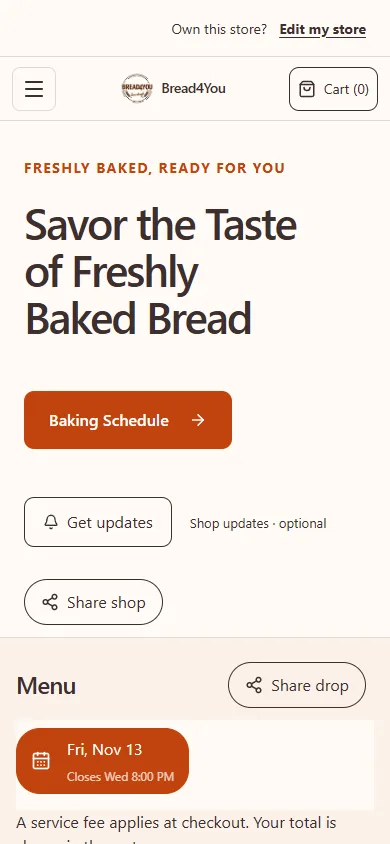
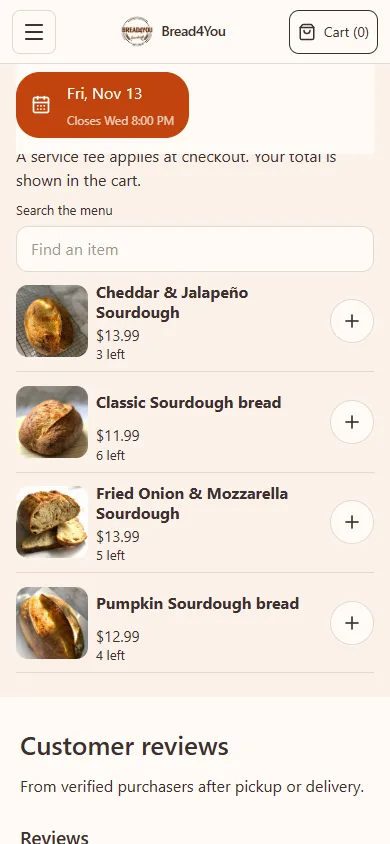
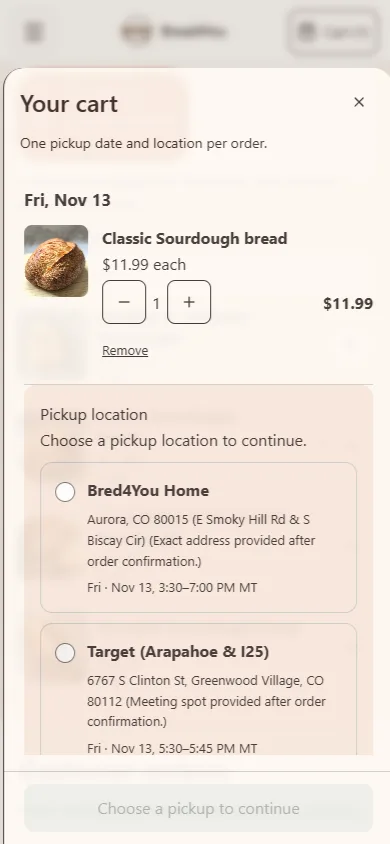
Add your business name, products, prices and any sizes or options. Your customers see a storefront with its own link. These images show Bread4You’s storefront on a phone; its menu and dates can change.
2. Set your bake date and deadline
For a scheduled bake, choose the products, quantities, pickup locations and cutoff. Customers see the available date and menu. When you plan another bake, copy an existing date into a draft and update the date and times.
3. Let customers order and prepare your bake
Connect Square and enable card payments when you’re ready. Customers select their items and pickup location, review the total and pay. Google Pay may also be available on supported devices and browsers. Check your confirmed orders and payment status, then use the prep list to organize what you need to make.
Choose how you want to sell
Run a drop when you want a specific menu and ordering deadline for a bake date. Made-to-order works for a menu available during your regular pickup hours. You can also accept custom requests, review the details and send a quote before the customer pays.
For made-to-order sales, set your pickup hours and preparation notice. You can optionally use a weekly cutoff instead, such as Sunday night for the coming week. BakePorch also supports seller-managed delivery priced by distance for eligible made-to-order and custom orders. Your business handles the delivery.
What does it cost?
Free to start, with no monthly fee. A small service fee is added at customer checkout. Payments go to your own Square account.
That describes the default: you can choose to cover the BakePorch service fee yourself instead. Square’s processing fees are separate and are paid by your business. Your customer sees the total before paying. See pricing and examples.
Who is it for?
BakePorch is for home bakers, cottage food sellers, meal-prep businesses and other home cooks who want to organize orders. It can fit a weekly sourdough pickup, a limited cookie drop or a custom cake request. Choose the selling method and availability that match your business.
Before selling, check the food rules that apply to your location and products. Explore cottage food guidance and confirm requirements with your local authority.
Questions home bakers ask
Is there an app that makes pre-ordering easier?
Yes. BakePorch gives you a storefront link where customers can choose available items and a pickup option. You manage the menu, deadlines and orders in your store admin.
Is there a FREE app I can make for my shop?
BakePorch is free to start, with no monthly subscription. A service fee applies to card orders, and Square processing is separate. You can choose whether the customer or your business covers the BakePorch fee.
How much is the fee?
The standard BakePorch service fee is 5% of the order subtotal, including delivery charges where applicable. By default the customer pays it; you can choose to cover it. Your business also pays Square’s separate processing fees.
Can I make a cookie website with options, prices and an order link?
Yes. Add your products, prices and available options, then share your published storefront link. Customers can choose an available pickup date and pay by card after your payment setup is complete.
Can I offer more than one pickup location?
Yes. Add your pickup locations and choose which ones are available for a bake date. Customers select from the options you have set up.
Can I take custom orders as well as scheduled pre-orders?
Yes. Customers can send a custom request for you to review. You can provide a quote for them to accept and pay; the request alone is not a confirmed order.
More practical guides
Ready to try your next preorder?
Set up your shop, add a menu and review the details before you publish.
Start free